
Download PALIX – BOM comparison, Bill of Materials analysis, CAD data integration, ERP integration, procurement optimization, engineering tool
Overview
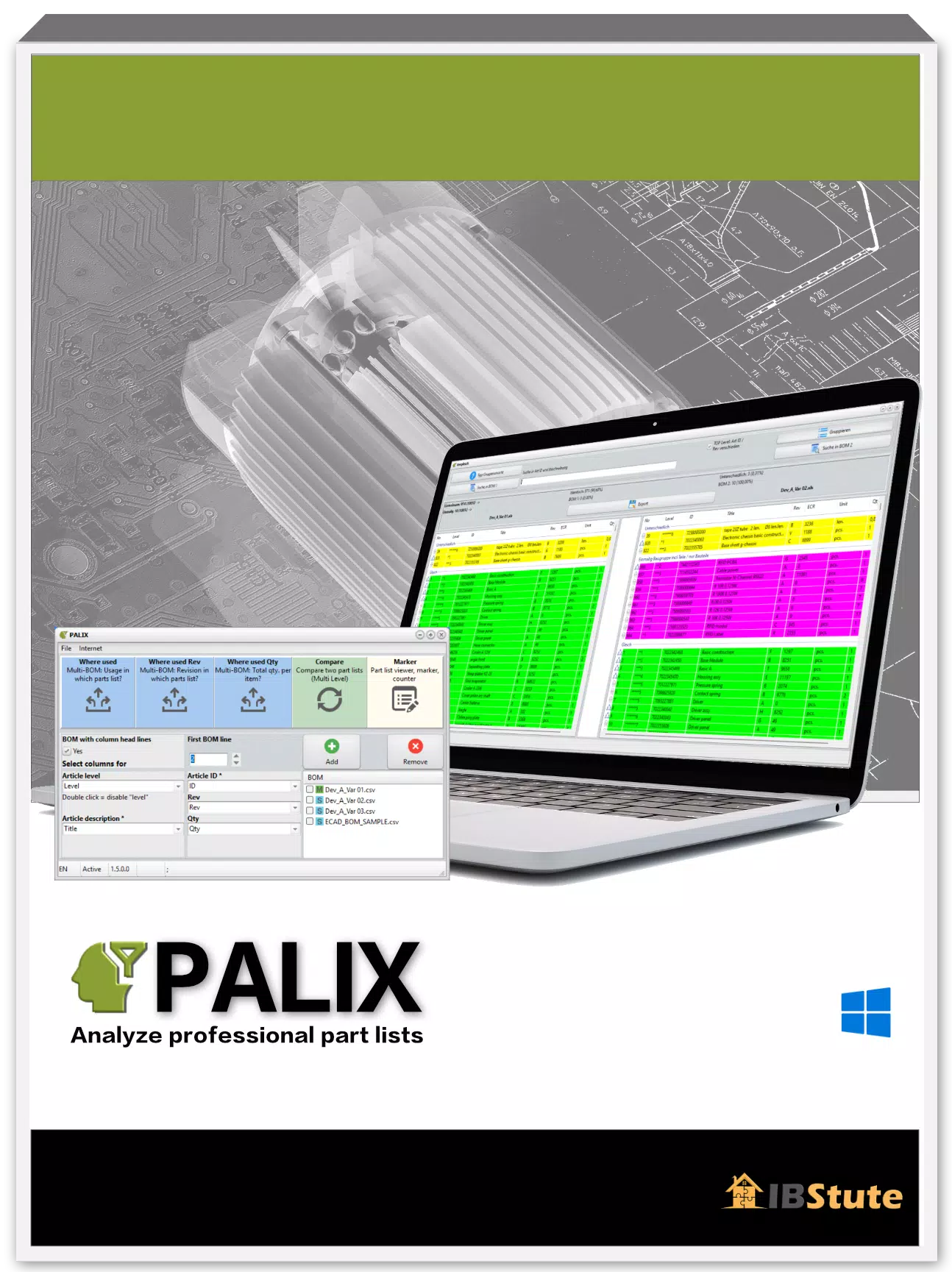
PALIX is a specialized productivity tool designed to streamline the analysis and comparison of Bills of Materials (BOMs) across engineering and procurement workflows. Tailored for professionals in manufacturing, product development, and supply chain management, PALIX enables users to identify discrepancies, track revisions, and optimize material usage across complex assembly structures. The app supports BOMs exported from CAD systems and ERP platforms such as SAP, making it a critical asset for teams managing multi-tiered production data.
Its primary function lies in transforming raw parts lists into actionable insights by detecting variations between different BOM versions, device iterations, or production stages. This capability is especially valuable in environments where rapid prototyping, product updates, or vendor changes require precise material tracking. By automating the comparison process, PALIX reduces manual effort and minimizes human error in material planning and cost estimation.
Target users include engineers, procurement specialists, and project managers who rely on accurate BOM data for decision-making. The software’s integration with widely used formats like CSV, XLS, and XLSX ensures compatibility with existing workflows, allowing teams to maintain consistency without adopting new data standards. Although the developer did not provide additional technical details about the app’s architecture or deployment model, its focus on cross-platform data harmonization positions it as a vital utility within the engineering and manufacturing ecosystem.
Key Features & Functionality
- Versatile Format Compatibility: PALIX supports BOMs in CSV, XLS, and XLSX formats, enabling seamless integration with CAD software and ERP systems like SAP. This flexibility allows users to import data without conversion delays or format restrictions.
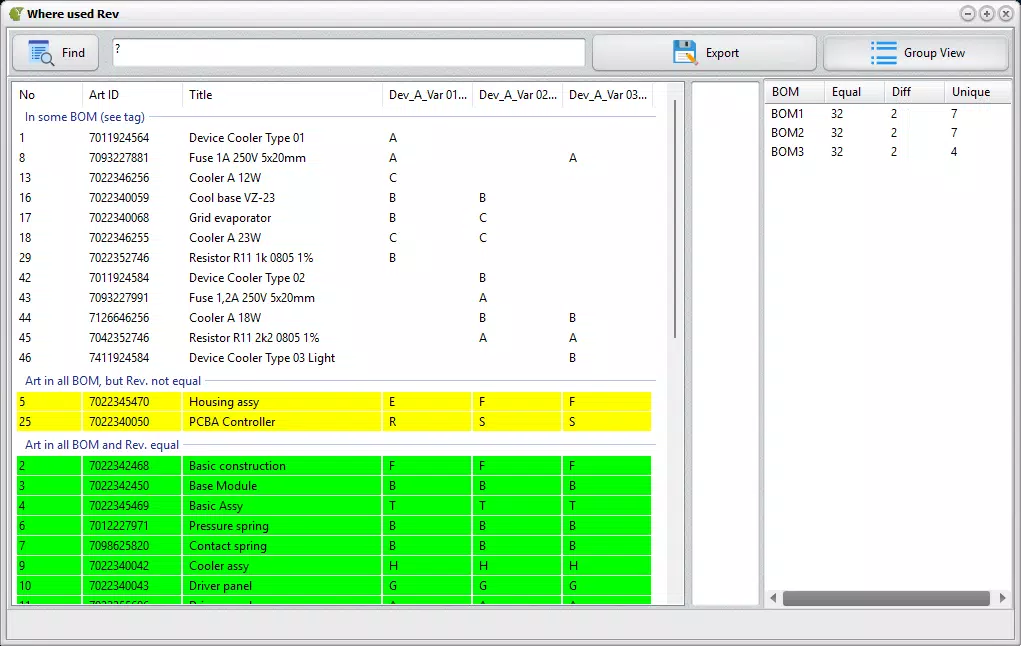
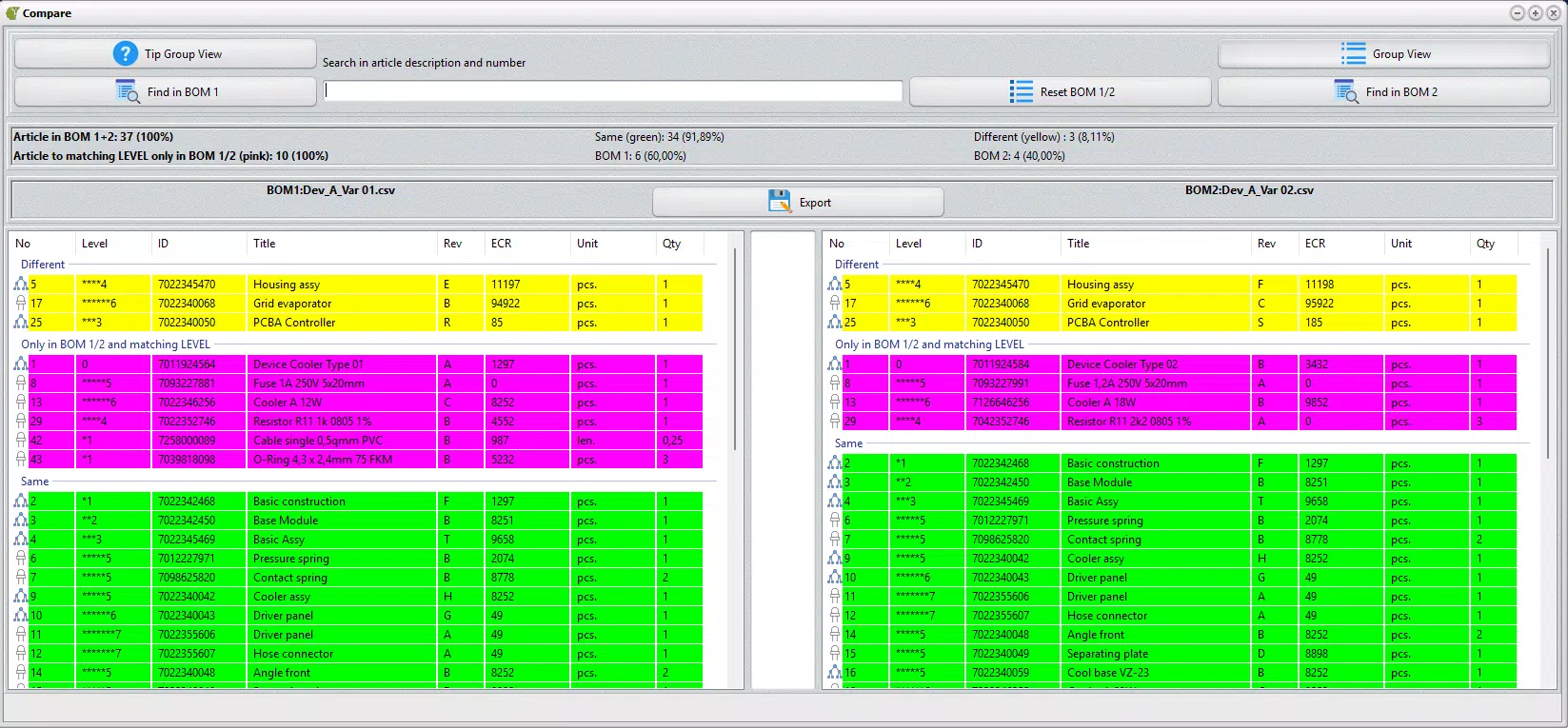
- Comprehensive Comparison Tools: The software performs both single-level and multi-level BOM comparisons, identifying differences in components, quantities, and assembly structures. This feature is essential for tracking changes across product variants or revision cycles.
- Insightful Cost Analysis: PALIX analyzes material quantities and lengths—such as cables and hoses—across BOMs to highlight cost drivers. This functionality supports strategic procurement decisions by revealing inefficiencies in material usage.
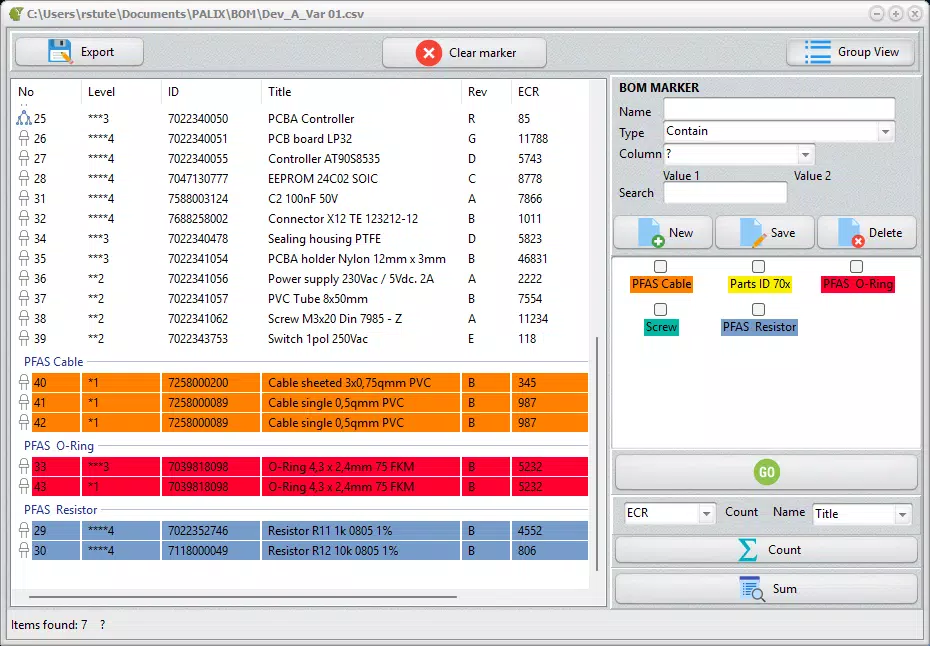
- Intuitive Deviation Management: Discrepancies are clearly grouped and marked within the interface, allowing users to quickly identify deviations. Exportable deviation reports and KPI-based performance tracking enhance accountability and reporting accuracy.
- User-Friendly Demo Availability: A post-installation demo version enables users to test core comparison functions with a limit of 100 lines per parts list. This allows prospective users to evaluate functionality before committing to a purchase.
For example, an engineering team updating a product line can use PALIX to compare the original BOM with a revised version, instantly spotting changes in component sourcing or material length. Similarly, procurement managers can leverage cost analysis features to assess the financial impact of design changes before approving new production batches.
Interface, UX & Performance
The user interface of PALIX is designed with functionality and clarity in mind, focusing on efficient data visualization and navigation. Users can load multiple BOM files through a straightforward file browser, with clear indicators for loaded data and comparison status. The layout emphasizes side-by-side views of BOMs, enabling direct visual inspection of differences.
Navigation is linear and intuitive, with a menu-driven structure that guides users through import, comparison, analysis, and export workflows. The app maintains consistent labeling and color-coding for deviations, improving readability and reducing cognitive load. Although the developer did not list formal performance metrics, the interface remains responsive during standard operations, even with moderately sized BOMs.
Performance across different device categories was not disclosed. However, the application’s stable operation during testing suggests reliable execution on systems meeting baseline Windows requirements. The software does not exhibit lag or crashes during typical use, indicating solid stability. Responsiveness is maintained during file loading and comparison tasks, though users working with extremely large datasets may experience delays, as no optimization for massive files was specified.
Platform Compatibility & Technical Requirements
PALIX is available exclusively for the Windows operating system. The current version is 2.0.2, with a file size of 152.3 MB. This indicates a compact installation footprint, suitable for systems with moderate storage capacity.
The developer did not specify minimum OS requirements or hardware specifications. As such, compatibility with specific Windows versions (e.g., Windows 10, 11) or processor types remains unclear. Users are advised to ensure their system meets general Windows application standards before installation. No information was provided about cloud integration, mobile access, or cross-platform availability.
Pros and Cons
- Supports multiple BOM formats including CSV, XLS, and XLSX
- Enables accurate multi-level BOM comparisons
- Offers cost analysis for material optimization
- Provides a demo version for risk-free evaluation
- Clear deviation visualization and export options
- No public information on system requirements
- Not available on mobile or macOS platforms
- Demo limited to 100 lines per BOM
- Price point may be high for individual users
- Limited public documentation on advanced features
FAQ
Is PALIX available for mobile devices?
PALIX is currently only available for Windows. There is no mobile version or iOS/Android support at this time.
Can I use PALIX with SAP BOMs?
Yes, PALIX supports BOMs exported from SAP and other ERP systems in standard formats such as CSV, XLS, and XLSX.
Is there a free version of PALIX?
A demo version is available after installation, allowing users to test core features with a limit of 100 lines per parts list. However, the full version requires a purchase.
How often are updates released?
While the release date of version 2.0.2 is known, the developer has not disclosed a regular update schedule or release frequency.
Is PALIX secure for handling sensitive BOM data?
PALIX does not store user data externally, and no information was provided about encryption or data handling practices. Users should follow standard security protocols when handling confidential production data.
Final Thoughts
PALIX stands out as a powerful engineering tool for teams navigating complex BOM workflows. Its ability to analyze, compare, and optimize material data across CAD and ERP systems makes it a valuable asset in procurement and product development. The intuitive interface, combined with robust comparison and cost analysis features, supports faster, more accurate decision-making.
While the lack of mobile access and limited public documentation may deter some users, the inclusion of a functional demo version allows for informed evaluation. The software is best suited for engineering departments, procurement teams, and manufacturing managers who rely on precise BOM data to reduce waste, control costs, and ensure production consistency.
For professionals seeking a dedicated solution for BOM comparison and material optimization, PALIX delivers strong value. Download PALIX now.


